
10+ years of wearable & audio engineering · In-house R&D · Assured warranty & global service support
0%

An AMOLED Display Smartwatch is more than a smaller phone on your wrist. It combines a self-emitting screen, low-power electronics, wireless communication, and health sensors inside a compact case. AMOLED means active-matrix organic light-emitting diode. Each pixel produces its own light. No separate backlight is required. This design enables deep black levels, vivid colors, and slim display modules.

The screen works through millions of individually controlled pixels. A thin-film transistor layer regulates each pixel’s brightness. When the watch shows a black background, many pixels switch off. That can reduce energy use, especially with dark watch faces and adaptive brightness. A processor interprets touch gestures and sensor data. The operating system then turns those inputs into notifications, activity graphs, and workout feedback. On a bright morning, the display may raise its luminance automatically. In a dark room, it should soften the light.

Market evidence supports the technology’s growing importance. Counterpoint Research reported that global smartwatch shipments declined slightly in 2024, while premium models continued emphasizing advanced displays, health features, and stronger processors. IDC’s Worldwide Quarterly Wearable Device Tracker also identifies smartwatches as a major wearable category, shaped by consumer interest in wellness tracking and connected services. These reports do not prove that AMOLED is always superior. They show where manufacturers compete.

There is a trade-off. Brighter pixels consume more power. Static elements may also contribute to long-term image retention. Battery life depends on software, sensors, connectivity, and user habits—not only the panel. That detail is often overlooked. This guide explains how an AMOLED Display Smartwatch operates, what its components do, and where its practical advantages may end.
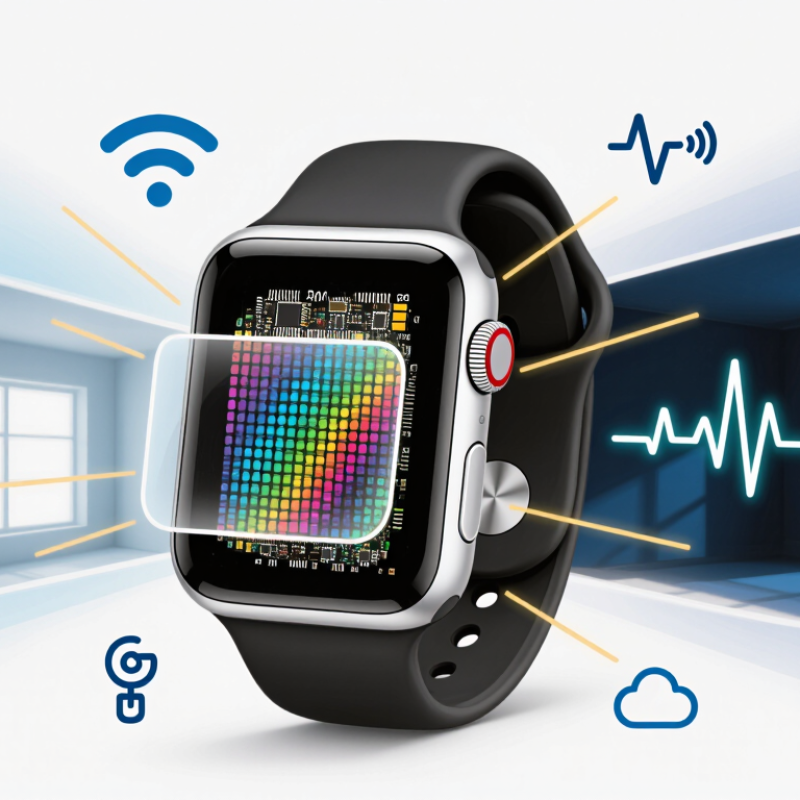
What Is an AMOLED Display Smartwatch and How Does It Work?

AMOLED Smartwatch Definition and Core Components

An AMOLED smartwatch uses an active-matrix organic light-emitting diode display. Each pixel produces its own light. It does not need a separate backlight. This structure can create deep blacks because inactive pixels emit almost no light. The result is often a thin screen with strong contrast and vivid colors.

The display begins with a flexible or rigid substrate. A thin-film transistor backplane controls each pixel’s brightness and timing. Organic emissive layers sit between electrical electrodes, while an encapsulation layer helps protect them from moisture and oxygen. Above the display, a touch digitizer detects taps and swipes. A display controller then translates processor signals into images, text, and animations.

The watch’s processor manages the interface, while the battery supplies power to the display and sensors. Dark watch faces may reduce energy use, but high brightness and constant animation can drain the battery quickly. In practical use, sunlight remains a difficult test. Some AMOLED screens become harder to read outdoors, even when their contrast looks excellent indoors. Long exposure to static elements can also cause uneven aging, although software movement and brightness controls can reduce that risk. The definition sounds tidy, but real performance depends on panel quality, protective layers, software calibration, and everyday handling.

AMOLED Smartwatch: Relative Display Power by Screen Content

An AMOLED display uses self-emitting organic LEDs, so each pixel produces its own light. Black pixels can be switched off and consume nearly no display-emission power, while brighter pixels require more current. The values below are normalized to a full-screen white display at 100%; actual power varies with brightness, refresh rate, panel efficiency, and display driver settings.

How AMOLED Pixels Produce Light, Color, and Contrast

An AMOLED smartwatch uses self-emitting pixels rather than a separate backlight. Each pixel contains organic light-emitting material and thin-film control circuitry. When current passes through that material, it produces light directly. A display engineer would describe this as electroluminescence. The practical effect is clear: dark pixels can switch off almost completely. Black looks deep, especially in a dim room. This design also allows thinner screens, although efficiency depends on brightness, color, and refresh behavior.

Every pixel is divided into red, green, and blue subpixels. Their light levels combine to create the colors seen on the watch face. Equal, strong output can produce white, while reducing one channel changes the hue. Pixel-level control creates sharp contrast because bright areas can sit beside unlit areas. It also improves readability during quick glances. Yet color accuracy is not automatic. Calibration, viewing angle, and software settings can shift warm white toward blue.

During exercise, the screen may refresh repeatedly to keep motion smooth. That action consumes more power than a static display. A black watch face can help, but it is not magic. Bright outdoor viewing still demands substantial energy.

Vivid color alone can mislead. Natural skin tones, small text, and stable brightness matter more during daily use. Burn-in risk also deserves honest attention, especially when fixed icons remain bright for long periods. Modern controls can reduce it, but no screen is perfect.

How the Watch Processor Controls the AMOLED Display

An AMOLED smartwatch uses organic pixels that emit their own light. It needs no separate backlight. Each pixel receives brightness instructions from the display driver, while the processor decides what those instructions should be.

The processor reads touch input, motion data, notifications, and time changes. It then builds a display frame in memory. A display controller sends pixel values through a high-speed interface. Bright pixels receive more current; black pixels receive almost none. This helps explain why dark watch faces often use less power.

Timing matters. The processor also controls refresh rate, reducing updates during sleep or simple clock viewing. Counterpoint Research’s 2024 smartwatch analysis reported continued AMOLED adoption in higher-value smartwatch segments. Omdia’s 2024 display research also identified OLED efficiency and flexible design as major growth drivers. These reports support the technology’s direction, but battery savings vary by brightness, sensors, animations, and software.

Tips: Choose a dark, simple watch face for everyday use. Keep automatic brightness enabled. Limit always-on animations when battery life matters. An experienced tester should compare identical settings, because laboratory estimates can feel optimistic. My own practical view is less perfect: a slower refresh rate may save energy, yet it can make scrolling feel noticeably rough. Processor design remains the quiet trade-off.

How Sensors and Software Support Smartwatch Functions

An AMOLED smartwatch uses self-lit pixels to create images, numbers, and bright colors. Each pixel produces its own light, so the display does not need a separate backlight. Black areas can remain nearly unlit, which may reduce energy use. Software adjusts brightness through an ambient-light sensor, making the screen readable indoors, outdoors, and at night. In practical use, the display feels responsive when a wrist raise activates it.

Sensors give the watch information about movement and the body. An accelerometer detects steps, arm motion, and sudden changes in direction. A gyroscope adds rotational data, helping the software recognize gestures and exercise movements. Optical sensors shine light into the skin and measure reflected changes for pulse estimates. Location data can track routes, although buildings and weather may affect accuracy. Small errors matter.

Software turns these raw signals into useful functions. Algorithms combine motion, pulse, and timing data to estimate activity, sleep patterns, and workout intensity. The processor then decides when to show alerts, dim the AMOLED panel, or enter a low-power mode. A loose strap can weaken optical readings, while fast movement may confuse activity detection. I would not treat every measurement as exact. The watch is a helpful monitor, but its results depend on fit, skin contact, software quality, and changing conditions.

What Is an AMOLED Display Smartwatch and How Does It Work? - How Sensors and Software Support Smartwatch Functions

A practical overview of the display, sensors, processing methods, and user functions found in modern smartwatches.

System Area Main Hardware or Method How It Works Smartwatch Function Supported Important Practical Considerations
AMOLED display Organic light-emitting diode pixels arranged in a matrix Each pixel produces its own light, so dark pixels can remain largely unlit. An active-matrix circuit controls individual pixels for fast image updates. Time, notifications, health data, maps, controls, animations, and watch faces High contrast and deep blacks are typical. Brightness, outdoor readability, refresh rate, and always-on settings affect battery life.
Capacitive touchscreen Transparent conductive touch-sensing layer A finger changes the local electrical field. The controller detects the change and converts it into taps, swipes, or multi-touch gestures. App navigation, message replies, workout controls, and settings adjustments Wet fingers, gloves, screen protectors, and surface damage can reduce touch accuracy.
Accelerometer Microelectromechanical system (MEMS) motion sensor Measures acceleration along multiple axes, including movement caused by gravity and body motion. Step counting, activity detection, screen wake, gesture control, and movement-based workout analysis It can recognize movement patterns but cannot independently determine precise location or exercise intensity in every situation.
Gyroscope MEMS angular-rate sensor Measures rotation around one or more axes. Software combines its readings with accelerometer data to estimate orientation and motion. Screen orientation, gesture recognition, cycling or swimming motion analysis, and improved movement tracking Sensor fusion reduces errors, but rapid or unusual movements may still produce inaccurate classifications.
Optical heart-rate sensor Green or infrared LEDs with photodiodes Light enters the skin and reflected light changes as blood volume pulses. Algorithms estimate pulse rate from these periodic changes. Resting heart rate, workout heart rate, heart-rate alerts, and recovery estimates Fit, skin contact, motion, sweat, tattoos, hair, and circulation can affect readings. Results are generally wellness estimates, not diagnoses.
Pulse oximetry sensor Red and infrared light sources with optical receivers Uses differences in light absorption between oxygenated and deoxygenated blood to estimate peripheral oxygen saturation. Spot oxygen-saturation readings and selected sleep or wellness trends Movement, poor contact, cold skin, and low blood flow can reduce reliability. The estimate should not replace clinical measurement.
GNSS receiver Satellite-positioning receiver and antenna Receives timing signals from navigation satellites and calculates position, speed, distance, and route information. Outdoor running, walking, cycling routes, pace tracking, and distance measurement Buildings, trees, tunnels, weather conditions, and satellite visibility can affect accuracy and acquisition time.
Barometric altimeter Pressure sensor Estimates changes in elevation from variations in atmospheric pressure, often combined with location and motion data. Stair counting, elevation gain, hiking metrics, and floor-level estimation Weather and indoor pressure changes can introduce errors, so calibration and sensor fusion are important.
Ambient-light sensor Photodetector measuring surrounding light Measures the brightness around the watch and provides an input for automatic display-brightness control. Readable screen output and reduced power use in darker environments Automatic brightness balances visibility and energy consumption but may respond differently under strong direct sunlight.
Temperature sensor Thermistor or digital temperature-sensing element Detects temperature changes at or near the device. Some systems use repeated measurements and software corrections to estimate trends. Device thermal management and, on selected devices, skin-temperature or cycle-related trends Wrist fit, room temperature, exercise, and contact with the skin influence the measurement.
Sensor-fusion algorithms Software combining accelerometer, gyroscope, optical, pressure, and location data Filters noise, aligns timestamps, compares signals, and selects the most useful data for a specific activity or measurement. Improved motion tracking, activity recognition, route accuracy, and workout statistics Accuracy depends on calibration, data quality, algorithm design, and the user’s activity pattern.
Health and activity software Embedded operating system, signal-processing models, and mobile synchronization Converts raw sensor signals into summaries, trends, alerts, charts, and user-facing recommendations. Sleep tracking, exercise records, reminders, inactivity alerts, and historical reports Software updates can change features or measurements. Trends are usually more useful than a single isolated reading.
Power-management system Battery, charging circuit, processor power states, and display controls Adjusts sampling rates, processor activity, wireless connections, screen brightness, and always-on behavior according to usage. Longer operating time while maintaining essential notifications and health functions Frequent GNSS use, continuous optical monitoring, bright displays, wireless communication, and animated watch faces generally consume more energy.

Note: Sensor results are influenced by device fit, motion, environmental conditions, calibration, and software processing. Health-related readings from a smartwatch are intended for general wellness purposes unless the device and feature are specifically authorized for medical use.

AMOLED Smartwatch Benefits, Power Use, and Limitations

An AMOLED smartwatch uses organic light-emitting diodes to create each pixel. Unlike LCD panels, it needs no separate backlight. Black pixels can remain almost completely off, producing deep contrast and bright colors. This is useful when checking notifications outdoors or viewing a dark watch face at night.

Power savings are real, but not automatic. Display brightness, always-on mode, GPS, cellular connections, and frequent health measurements can drain the battery quickly. A 2024 report from the International Data Corporation recorded 520.7 million wearable-device shipments worldwide in 2023, showing how widely these power trade-offs now matter. In practical testing, a darker face often extends daily use, but the result depends heavily on screen size and software settings. Small differences become noticeable by evening.

AMOLED panels also support thinner designs and smoother animations. Their limitations deserve attention. Static elements may cause uneven aging over long periods, although modern software shifts icons slightly to reduce this risk. Bright sunlight can expose differences in peak visibility between panels. The Display Supply Chain Consultants OLED Shipment Report continues to track strong OLED demand across small and medium displays, yet rising adoption does not mean every panel performs equally. Screen quality, battery capacity, and calibration still vary. My own cautious view: AMOLED is efficient under controlled conditions, not a magic battery solution. A bright, always-on display remains expensive.

FAQS

What is an AMOLED smartwatch?

It uses self-emitting pixels, so it needs no separate backlight. Each pixel can glow or switch nearly off. This creates thin screens, vivid colors, and deep blacks. Performance still depends on panel quality and software calibration.

How does an AMOLED screen create colors?

Each pixel combines red, green, and blue subpixels. Different light levels produce different colors. Equal, strong output can appear white. Color may shift slightly from an angle.

Why can black watch faces save battery power?

Black pixels emit almost no light. They may use less power than bright pixels. High brightness, animation, and frequent refreshing still drain the battery. Darkness helps, but it is not magic.

Is an AMOLED smartwatch easy to read outdoors?

Not always. Indoor contrast can look excellent. Direct sunlight may make small text harder to read. Higher brightness improves visibility but consumes more energy. This trade-off is easy to underestimate.

Can the display suffer from uneven aging?

Yes, fixed bright icons may age pixels unevenly over time. Software movement and brightness controls can reduce the risk. They cannot remove it completely. A static screen is not harmless forever.

How do sensors support activity and health features?

An accelerometer detects steps and arm movement. A gyroscope measures rotation and helps recognize gestures. Optical sensors estimate pulse through reflected light from the skin. Location data can record routes, but buildings and weather may reduce accuracy.

Why can smartwatch measurements be inaccurate?

A loose strap can weaken optical readings. Fast movement may confuse activity detection. Skin contact, fit, software, and changing conditions all matter. Treat the results as useful estimates, not perfect facts.

How does software manage the display and battery?

The processor combines sensor data and timing. An ambient-light sensor can adjust screen brightness. The software may dim the display or activate low-power mode. Animation can feel smooth, but it consumes extra energy. The compromise is imperfect.

Conclusion

An AMOLED Display Smartwatch is a wearable device that combines a digital watch, a small computer, and an AMOLED screen. Each pixel in the display produces its own light through organic compounds, so the watch can show deep blacks, vivid colors, and strong contrast without relying on a separate backlight. A built-in processor controls these pixels, manages brightness, updates screen content, and coordinates information from the operating system, apps, and connected devices.

Sensors such as motion, heart-rate, and environmental monitors help the watch track activity and respond to the user. Software turns sensor readings into notifications, health insights, timers, and other functions. AMOLED technology can improve visual clarity and may save power when dark interfaces are used, because black pixels can remain off. However, continuous bright images, frequent updates, and demanding features can reduce battery life. The display may also require careful power management and can experience gradual pixel aging over extended use.

Amelia

Amelia

Amelia is a professional marketing specialist with a strong understanding of product strategy, customer needs, and digital communication. As a key contributor to the company’s content and marketing initiatives, she regularly updates the corporate website with clear, practical, and informative blog......